
MSport offered two options to make a deposit.
Method One: Online Deposit
The following steps are the demonstration for the 1st deposit.
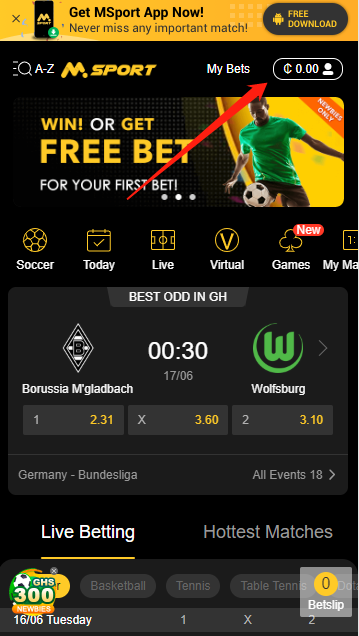
1st, Click the “Me” icon and enter the “Me” page.
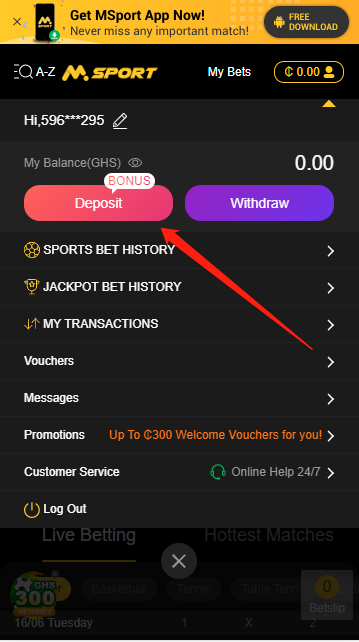
2nd, Click “Deposit” button in the “Me” page.
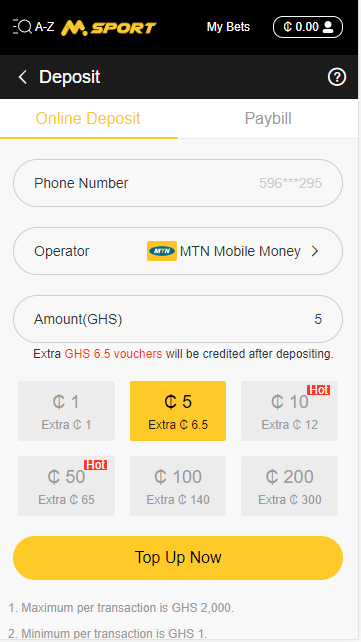
3rd, Enter the deposit amount that you want to deposit. For example, 5 cedis. Then click the button “Top Up Now” at the bottom.
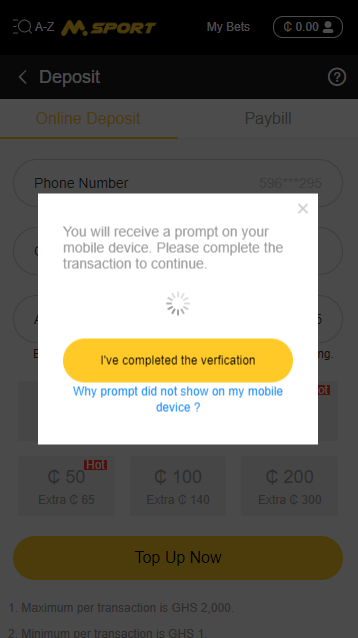
4th, You will be prompted to follow instructions on your mobile phone to complete the transaction. If this is successful, the money will be credited to your account.
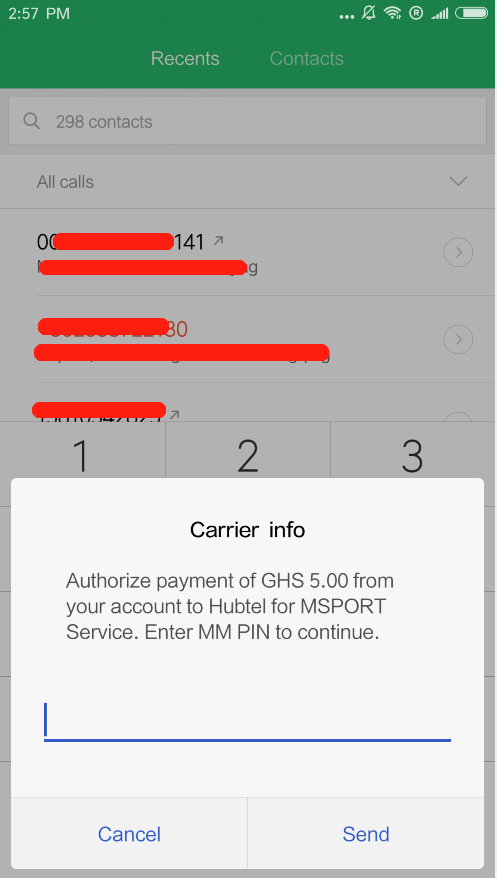
On your cell phone, the instructions will be popped up at the bottom of your screen. Input your MoMoPay PIN.
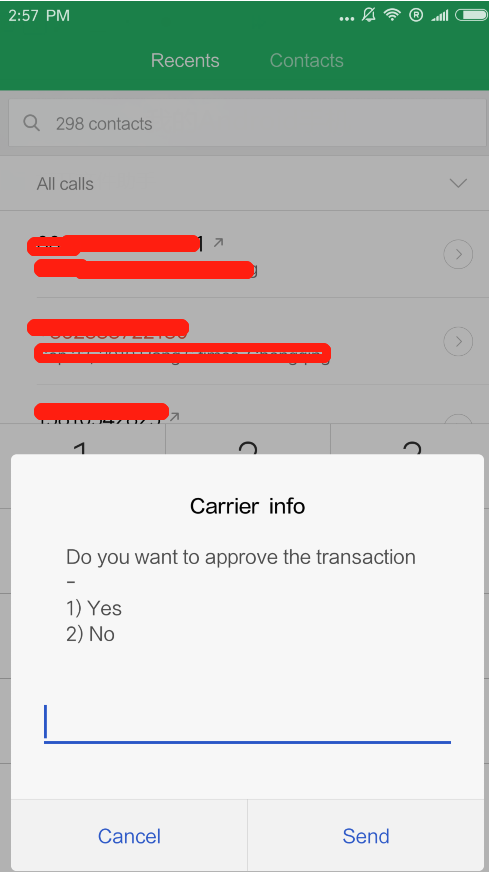
Approve the deposit transaction by inputting ‘1’ in the input box.
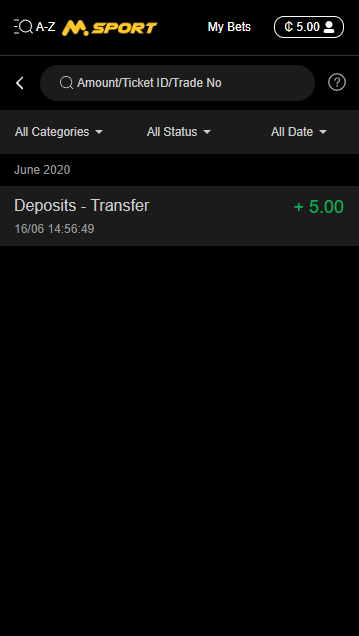
Then you can find the successful record.
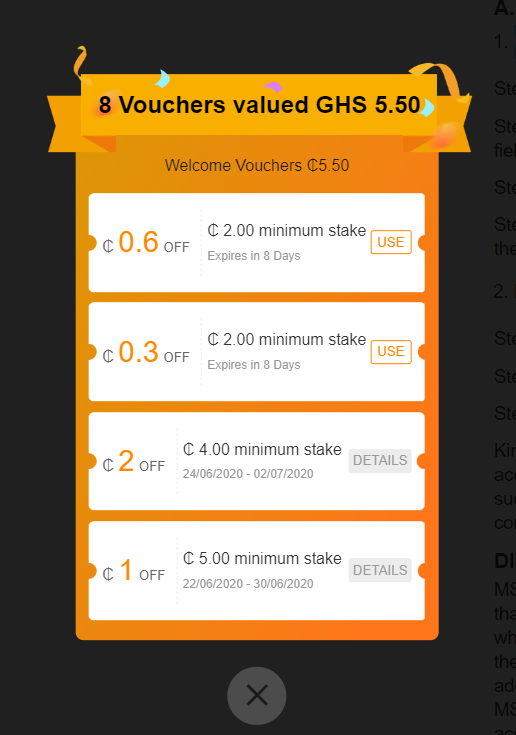
For the 1st deposit, you will receive a welcome voucher.
For more details of this part, kindly review
https://www.msport.com/gh/discounts/200316081349ACT67433187/welcome_vouchers?share=1
Method Two: Paybill
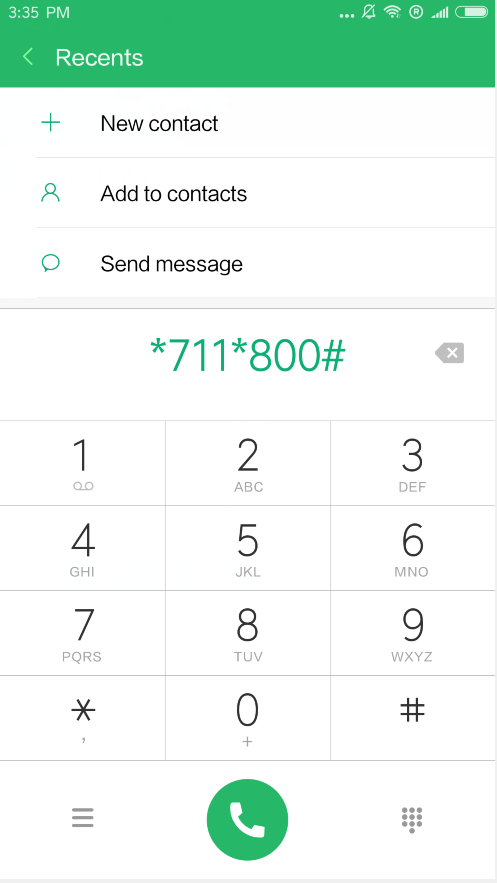
1st, Dial the USSD short code *711*800# on your phone.
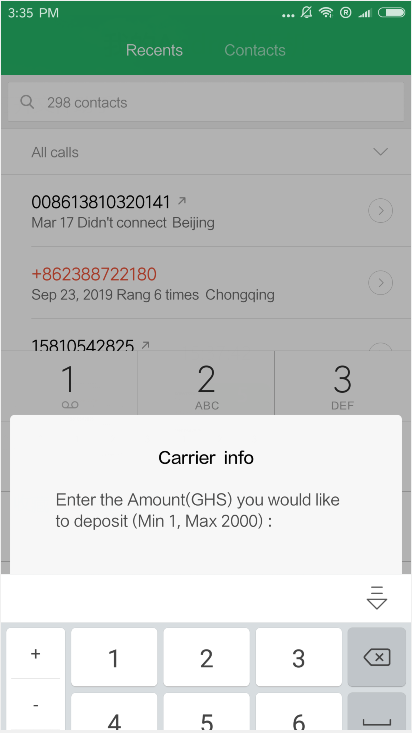
2nd, Input the deposit amount that you want to deposit on MSport. For example, input 1 cedis.
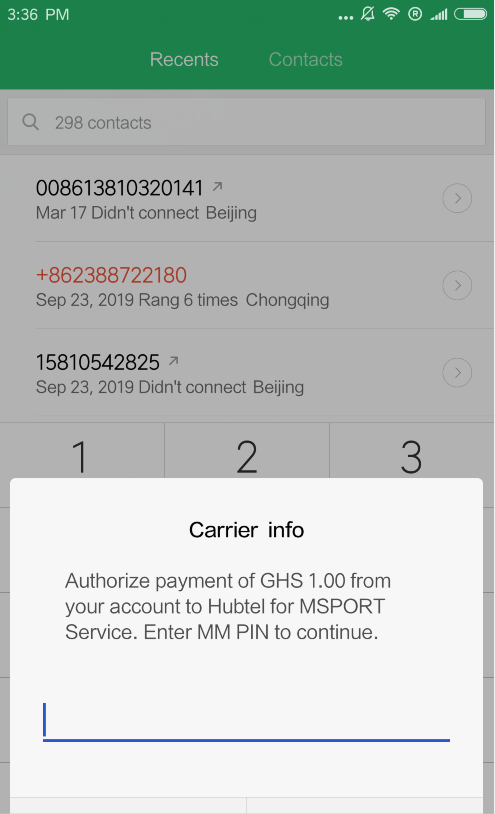
3rd, Input your MoMoPay PIN.
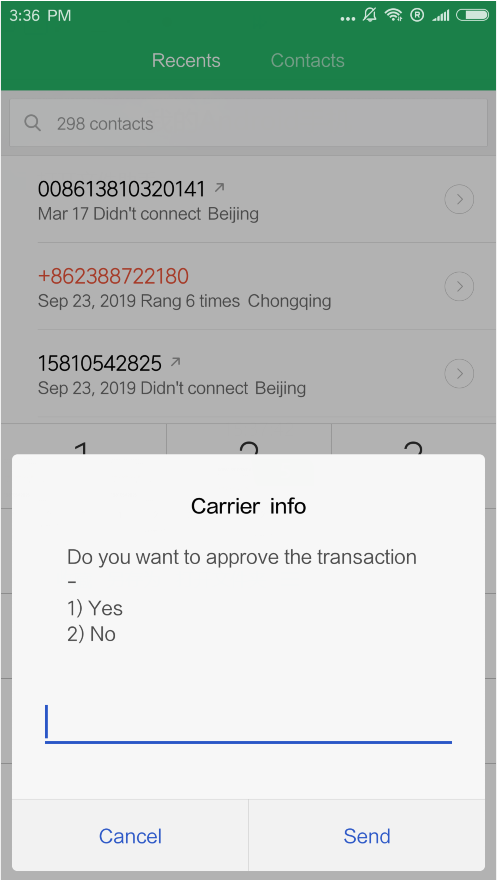
4th, Approve the deposit transaction by inputting ‘1’ in the input box.
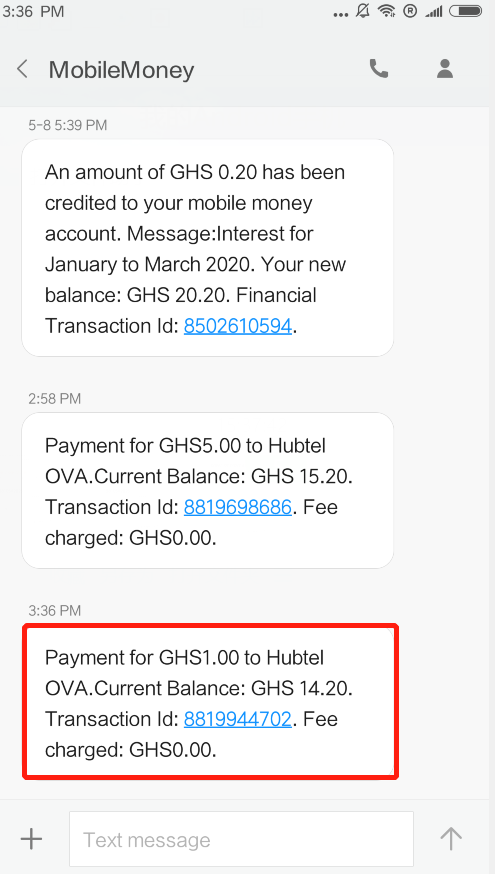
5th, Then you will receive the alert message and you can find the successful record.
Kindly note that you can only use the same mobile number as your MSport account's to top up. In case you use other phone numbers to deposit and it is successful, a new account will be created and a password will be sent to the corresponding new phone number via SMS.
FAQ
1. What are the limits for Deposits and how much does the Charge Fee cost?
Minimum per transaction is GHS 1.00.
Maximum per transaction is GHS 2,000.00.
All Deposits are free of charges.
2. How long does it take for the transaction to be processed and for the deposited sum to arrive into an account?
Charges are usually paid immediately. If your balance is unchanged, please check the "Transactions" for details. If still not shown, you can contact MSport Customer Service staff at any time.
Comments
0 comments
Please sign in to leave a comment.