How to use aviator freebet?

The aviator freebet, which is also called as aviator voucher, is different from the real sports vouchers. The aviator freebet can not be seen on the voucher center of "Me" module(Me --> Vouchers), but it can be seen on the aviator game page only.
1st, if you receive a aviator freebet, you will see a pop-up message on the aviator game page. Also, a red icon will be appeared in the aviator "Me" icon(a three bars icon on the top right side).

2nd, you can also check your freebet on the aviator Me center. Just click the aviator "Me" icon. The "Free Bets" item will be highlighted by the red number, for example 1 in the following screenshot.

3rd, in the "FREE BETS MANAGEMENT" page, the free bet is choosen by default after you receive the freebet. You can use the freebet to play aviator in the next round after the active freebet is choosen.
If you want to use real cash to play aviator, you can choose "Play with cash" option in this page. Just as the following screenshots shows. If you decide to use the freebet to play aviator in the next round, you can choose "ACTIVE FREE BETS" item, and the freebet will take effect in the next round.

4th, after you use all the available freebet, you will see the pop-up message "All free bets spent!", just as the following screenshots shows.

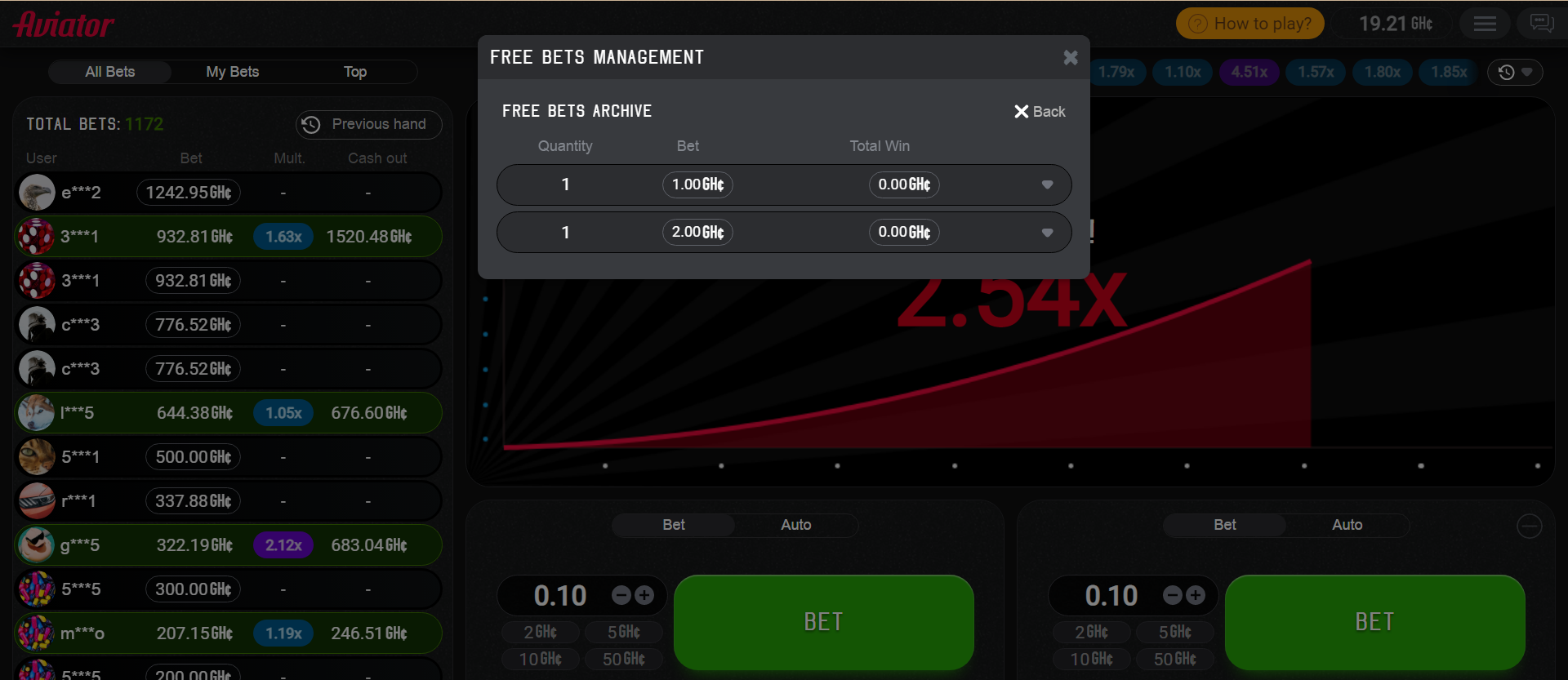
5th, after you use all the available freebet, you can check the recently used freebets in the archive page of the "FREE BETS MANAGEMENT" page. Just click the "archive" button on the top right, the freebet archive page will appear.

The archive should contain free bets that already closed (paid-up or canceled due to some reasons).
For example, if you used two freebets recently, you will see them just as the following screenshots shows.
After some time period, the used vouchers will be disappeared in the archive page as the data will be archived in the database.
Please sign in to leave a comment.
Comments
0 comments