
Roulette is one of the exciting games on the Msport platform. A customer could be timed-out due to the network error from the customer's network provider and may need assistance to check whether he or she won the round.
Here are the steps below:
STEP 1: Login into your registered msport account with your registered msport number.
STEP 2: click on ME or Account at the top right corner of the web page
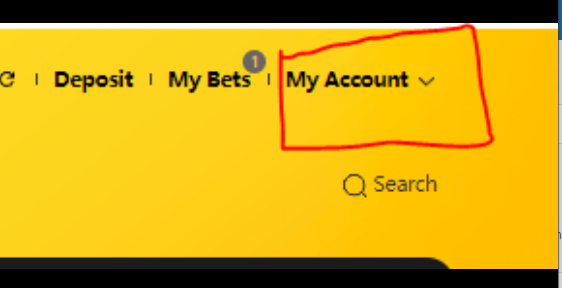
STEP 3: click on my Transaction as it will display your transaction details and the roulette details as well.
STEP 4: tap on the roulette round in question as it will display the ticket ID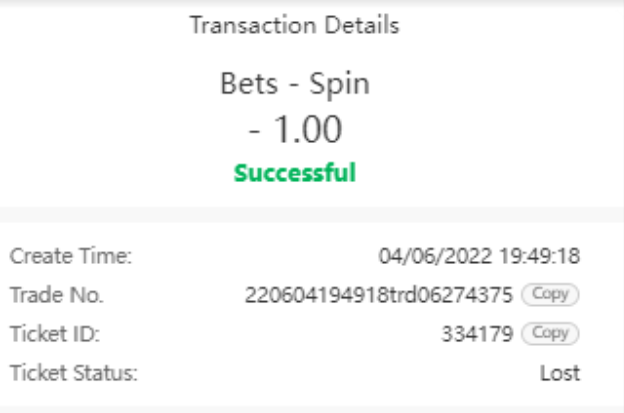
STEP 5: Copy the ticket ID and send to the support for further assistance.
I hope this will be easy to assist all customers who will encounter any unforeseen challenge Thank you
Comments
0 comments
Please sign in to leave a comment.